Technology can help identify software problems, but simply pointing out what’s wrong isn’t always enough. Developers also need to understand what the problem means, why it matters, and how to fix it. This is where thoughtful design makes a difference. When we design an AI vulnerability scanner, the goal should be to do more than highlight potential security risks. It should help developers understand what needs attention and what to do next.

As software becomes more complex and development teams work faster, clear feedback becomes increasingly important. A long list of warnings can be difficult to work through, especially when some issues are minor or turn out not to be genuine problems. Useful guidance helps developers focus on the findings that matter most.
AI Vulnerability Scanner Design For Actionable Developer Feedback
Why Actionable Feedback Matters More Than Detection Alone
Finding a potential security problem is only the beginning. Developers need to know what has happened, how serious it might be and what they can do to resolve it. Imagine reviewing a report that simply says a section of code could be unsafe. That warning might be correct, but it leaves several questions unanswered. Where is the problem? Could it affect users? How should it be fixed?
Now imagine receiving a clearer explanation that identifies the affected section, explains the possible risk and suggests a safer way to write the code. The developer has a much better starting point. The difference is between identifying a problem and helping someone solve it. When feedback is clear and practical, developers can spend less time investigating vague warnings and more time making useful improvements. Understanding potential risks is important online, whether you’re identifying software vulnerabilities or learning how to avoid becoming a victim of scams.

Core Principles for an AI vulnerability scanner
An effective AI vulnerability scanner should make security findings easier to understand and act upon. A few basic principles can help achieve this.
- First, every warning should be specific. Rather than reporting a possible issue, the scanner should point to the relevant file or code section. This gives developers a clear starting point for investigation.
- Second, the explanation should use straightforward language. Technical terms can help specialists, but developers also need to understand what a warning means in practice. Could the issue expose information, allow unauthorised access or affect how an application behaves?
- Third, recommendations should be practical. Telling someone to improve security is not particularly helpful without explaining how. A good tool should offer a clear suggestion, ideally with an example that suits the programming language or framework being used.
- Finally, prioritise findings sensibly. A serious weakness that could expose sensitive information deserves more immediate attention than a minor issue with limited impact. Clear priorities help teams decide where to focus their time.
Designing for Developer Trust
For a security tool to be useful, developers need to trust its findings. If it repeatedly reports harmless problems, people may start ignoring its warnings. This is why accuracy and transparency matter. A scanner should explain why it has flagged an issue and acknowledge when it cannot be certain. Sometimes a warning will need further investigation before anyone can decide whether it represents a genuine risk.
Consider a developer who spends hours checking several warnings, only to discover some are duplicates or don’t apply to how the software works. Experiences like this can make security checks feel frustrating rather than helpful.
Clear explanations and reliable recommendations can make security checks feel like a useful part of development, rather than another hurdle to overcome. Developers are more likely to act on findings when they understand the reasoning behind them and can see what to do.
How an AI code vulnerability scanner Should Structure Feedback
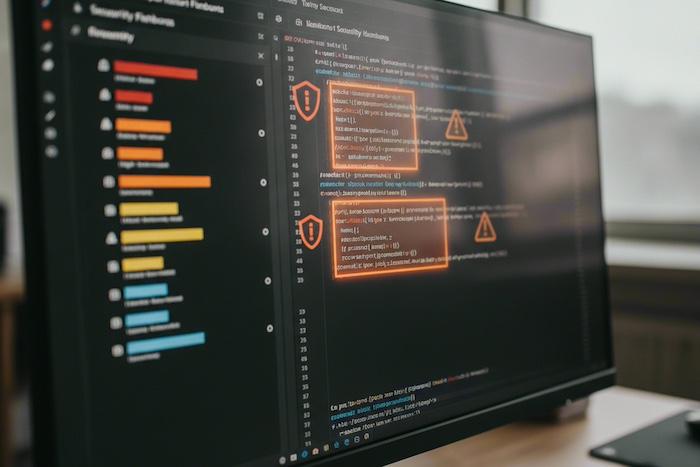
The way information is presented can make a significant difference. An AI code vulnerability scanner should organise its findings so developers can quickly understand the main issue without being overwhelmed by unnecessary detail.
A useful security report should include:
- A clear summary of the problem
- An indication of how serious it may be
- The location of the affected code
- An explanation of how the issue could occur
- The potential impact on the application or its users
- Practical steps for addressing the problem
- A secure code example where appropriate
- Links to relevant guidance or security standards when useful
This information helps different people do their jobs. Developers can identify what needs changing, team leaders can decide what to prioritise, and security reviewers can understand why a recommendation was made.
It is also helpful when the scanner explains how it reached its conclusion. For example, if user-entered information passes through several parts of an application before reaching an unsafe operation, showing that journey can help the developer understand where the problem begins. The goal isn’t to provide the longest possible report. It is to give people enough information to make an informed decision and take the appropriate next step.
Reducing Noise Without Hiding Risk
One challenge with security scanning is deciding which warnings deserve attention. Too many unnecessary alerts can make it harder to spot a serious problem, but filtering too aggressively could allow a genuine risk to go unnoticed. AI can help by looking beyond isolated code snippets. It may recognise patterns, account for surrounding code, and use feedback from previous reviews to improve future recommendations.
For example, a development team might use a particular security method throughout its application. If the scanner understands how that method works, it may better assess whether a warning is relevant in that context. However, learning from previous decisions should not mean automatically dismissing similar warnings. Each finding still needs careful assessment, especially when the potential consequences are serious.
The goal is to make security alerts more relevant, not simply to reduce their number. A useful scanner should help developers distinguish between issues that need immediate attention and those that require further investigation.

Embedding the Scanner Into Real Workflows
Even a well-designed tool can become frustrating if it interrupts people or complicates their work. Security feedback is most useful when it fits naturally into the way developers already work. For example, a scanner might flag a potential issue while someone reviews a proposed code change. It could also provide feedback within the software development environment or flag a concern before releasing an update.
The information should suit the situation. A short explanation may be enough when a developer first encounters a warning, while a more detailed report can help when investigating a complicated issue. An AI code vulnerability scanner should support the development process, not create unnecessary obstacles. Clear messages, sensible priorities and practical recommendations can help teams address security concerns without losing sight of their wider work.
Measuring Success the Right Way
Counting the number of warnings a scanner produces does not tell the whole story. A tool that generates hundreds of alerts is not necessarily better than one that identifies fewer, more relevant problems.
It is more useful to look at what happens after a warning appears. Can developers understand the issue? How long does it take to resolve? How often do investigations reveal that a warning was incorrect? Are the same types of problems appearing less frequently over time? These questions help teams understand whether their security tools are genuinely making a difference.
A well-built AI vulnerability scanner should ultimately make it easier to identify risks, understand their importance and take appropriate action. The aim is to help developers produce safer software without adding unnecessary complexity to their working day.
Good security feedback is not just about finding faults. It is about helping people understand what needs attention and giving them the information they need to improve their work. When a scanner combines useful findings with clear explanations and practical guidance, it can become a valuable part of a more confident and effective development process.
*Disclosure: Collaborative Post
Thanks for stopping by,
Love you all ❤️
Franca 💋
PIN FOR LATER

Leave a Reply